See it in action
Forty seconds of Mothlight, all shot in game with Lensbridge.
- A glowing Lumen companion and 48 wild moths.
- Moth sheets, nets, jars and rearing jars.
- Flying a saddled Great Lumen, and gliding without one.
Mothlight adds the Lumen, a glowing moth you tame, raise and eventually ride, plus 48 wild moths that turn up in the biomes they belong to. Catch them with a net, keep them in jars, draw them in with a moth sheet and breed new ones.
Forty seconds of Mothlight, all shot in game with Lensbridge.
Tame a Lumen with glow berries and it follows you through the night.
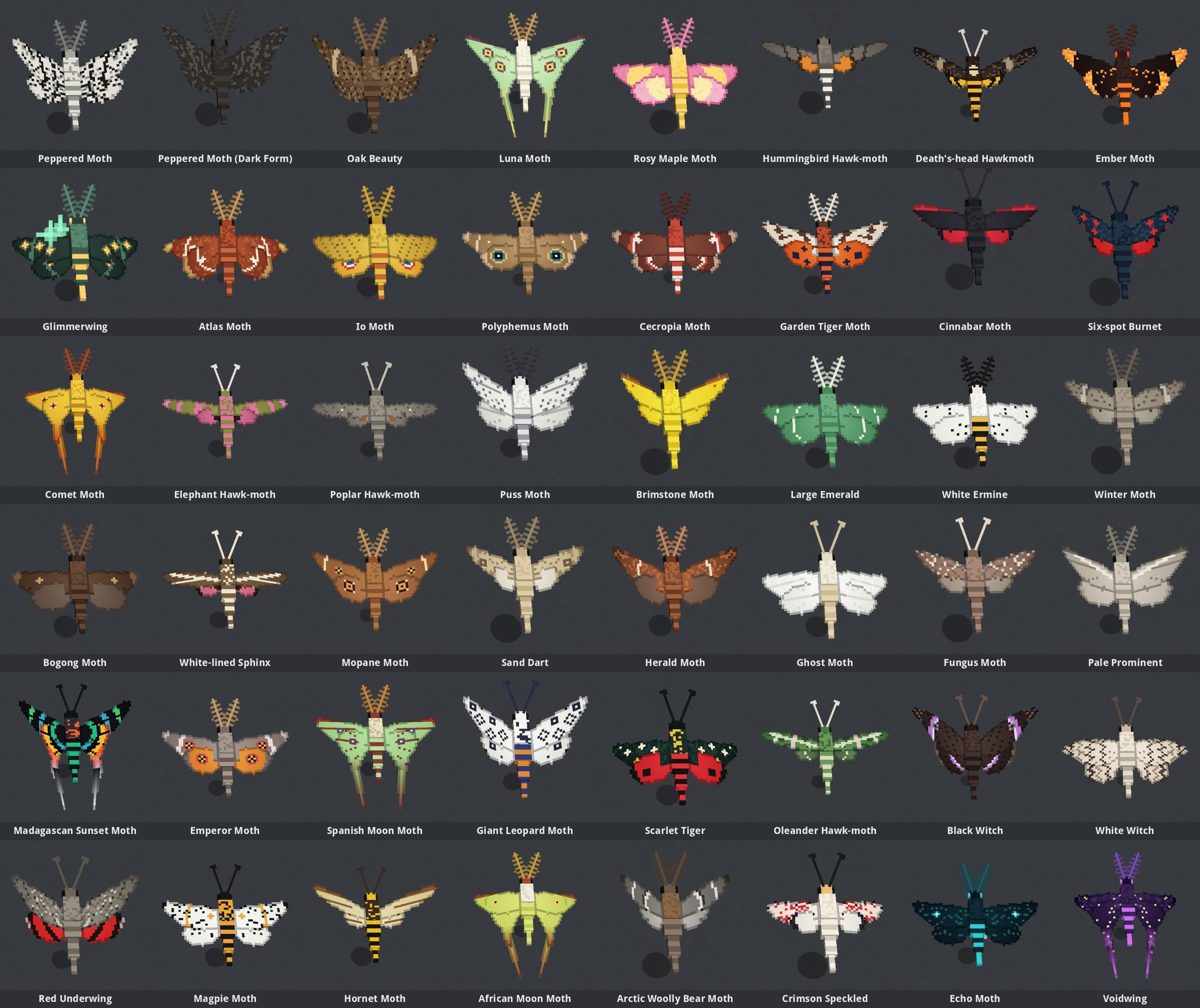
44 real species and 4 originals, each spawning where it lives and at the time of day it flies.
Woven from Moth Silk: a ragged shawl that opens into wings, and a hood with antennae and big moth eyes.
Some species take more than a quick swing of the net.
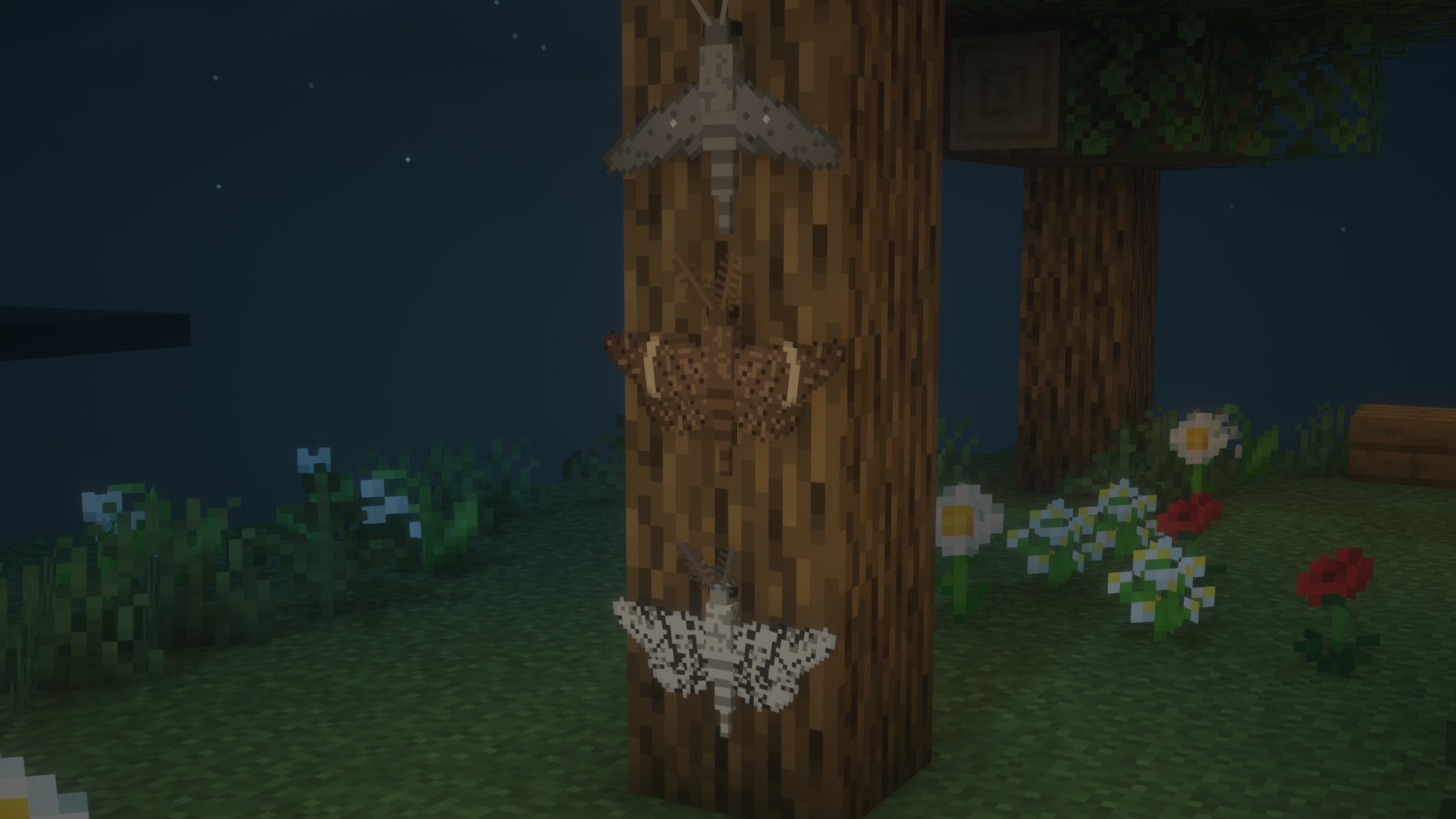
Wild moths lay eggs where they rest, and the caterpillars grow up, spin cocoons and emerge by themselves.
Set up a moth sheet by a lantern at night and see what flies in.
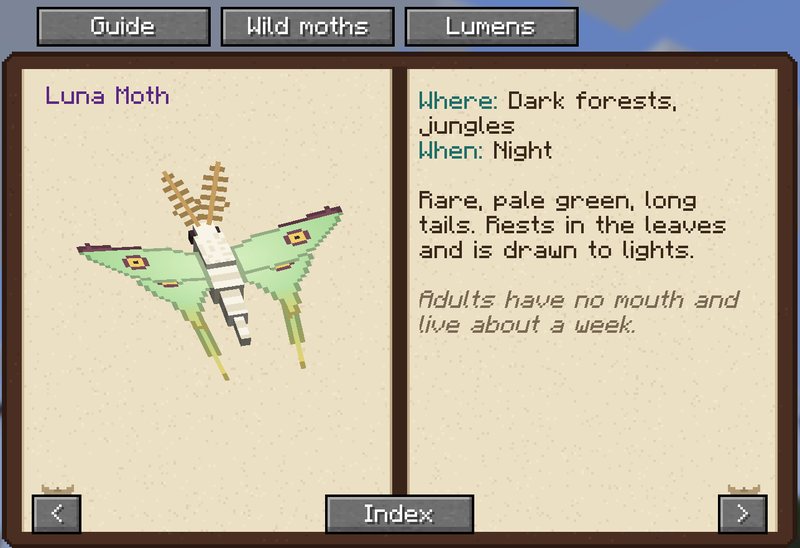
Every species you catch gets its own page in a field guide that fills in as you go.
Scoop a caterpillar into a Rearing Jar and raise it to an adult.
Feed a grown Lumen Lantern Nectar until it grows huge, saddle it and fly.
There is a build for Minecraft 1.21.11 and one for Minecraft 26.3: download the one that matches your game. The steps below use 1.21.11; for 26.3, pick 26.3 instead (NeoForge 26.3.x needs Java 25, which the launchers set up for you).
Pick the launcher you use. Each one sets up NeoForge for you.
mods folder (create it if it isn't there).mods.mods..minecraft/mods folder: %APPDATA%\.minecraft\mods on Windows, ~/Library/Application Support/minecraft/mods on macOS, ~/.minecraft/mods on Linux.mothlight-<version>.jar in that mods folder. Don't unzip it.mods folder, and restart it.mothlight-…jar from mods and add the new one. Back up your world first; this is a preview.